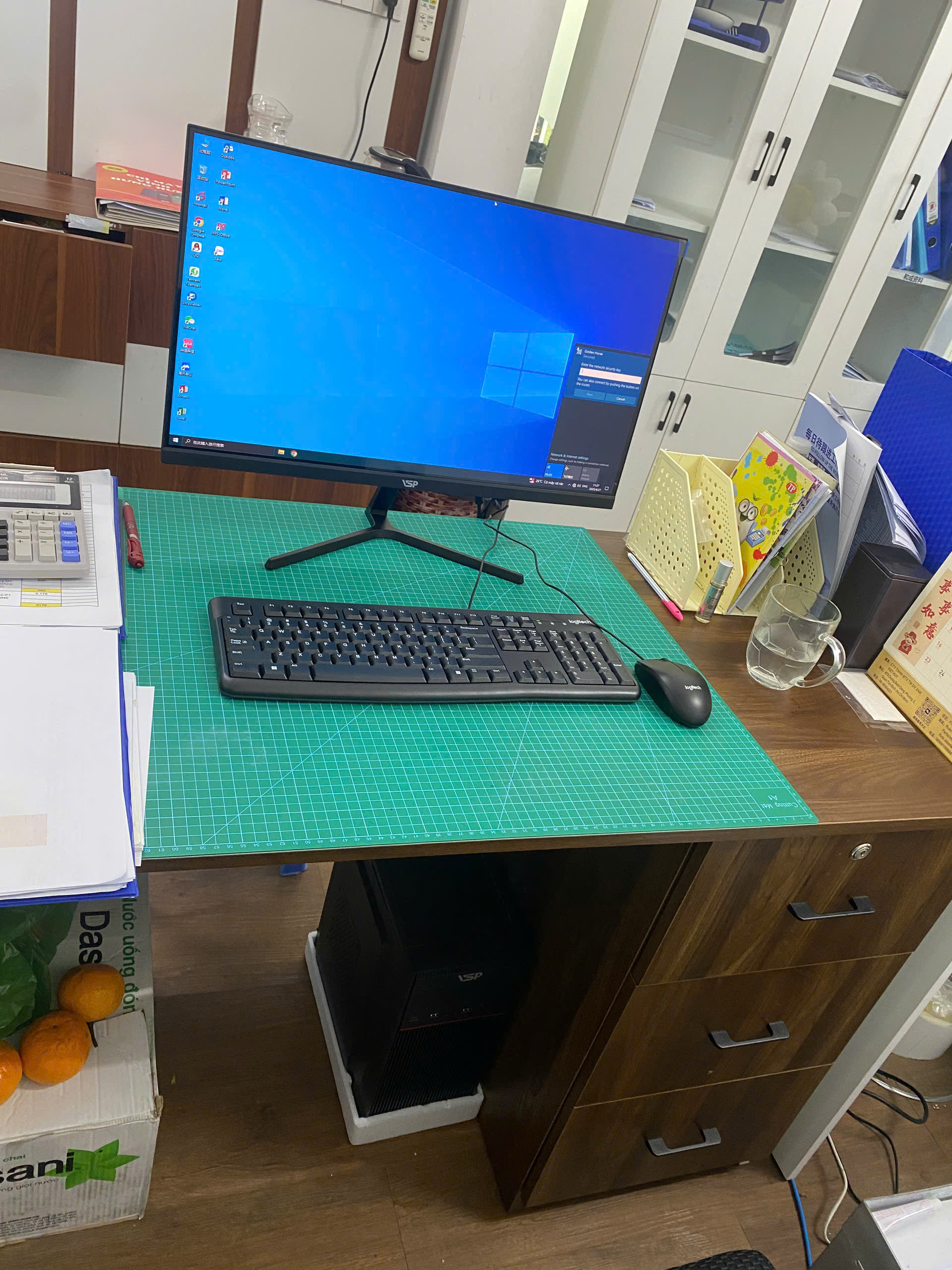


If you are looking for computer running accounting software, the most important thing is not to choose a machine with very high listening parameters, but to choose the right configuration for the way you work every day. Many people buy computers based on price or general recommendations, only to encounter slow opening of many tabs, long file saving, freezing accounting software, or a screen too small to work continuously.
For TGS's customers, the needs are often very practical: the machine must run well, be easy to use, can be upgraded as work increases and the initial cost must not exceed the budget. This article helps you understand how to choose a machine according to your real needs, from basic office to sales, accounting, studying and working from home.
You don't need to be technical to read this article. TGS will explain in an easy-to-understand way, prioritizing points that directly affect the usage experience: CPU, RAM, SSD, screen, upgradeability and reasonable price.
What do people who need a computer running accounting software often care about?
People who need a computer running accounting software often prioritize stability, data security and fast operations when making reports, usually do not need a very powerful machine like PC gaming, but do need stability for many working hours. The machine may only use Word, Excel, a browser, sales software, or accounting software, but these tasks often run at the same time. When the configuration is too weak, the feeling of slowness will appear in very small things such as opening files, switching tabs, printing invoices or exporting reports.
The real need of this user group is a device that responds quickly, has few errors and can be used for a long time. A suitable PC office is not necessarily expensive, but must be balanced between CPU, RAM and SSD. If you only look at CPU and ignore RAM or still use a hard drive HDD, the device can still be slow even though the parameters don't look too bad.
Accounting software usually does not need strong graphics, but needs good RAM and SSD so that data opens quickly and crashes less. So instead of asking "which machine is the cheapest", you should start with the question "what will this machine be used for every day?". Once you answer that question, choosing a configuration will be easier and less likely to make the wrong purchase.
Which configuration is suitable for a computer running accounting software?
For basic office needs, the configuration should start from RAM 8GB and SSD. This is the level that helps the computer boot quickly, open software more smoothly and reduce the feeling of waiting. If your budget allows, RAM 16GB will be more comfortable, especially if you often open many Chrome tabs, use Excel with multiple sheets or run additional Zalo, management software and online meeting applications.
CPU The new i3 can be used for medium data, the i5 is suitable for large data and multitasking. The CPU doesn't need to be top-of-the-line, but it should be strong enough to handle multiple tasks at the same time. For basic office use, the new Core i3 or equivalent configuration can be used fine. For accounting, heavy Excel or sales with large data, Core i5 or equivalent CPU will be more reasonable because the machine has plenty of performance as the work increases.
RAM 16GB helps accounting software and Excel run in parallel more smoothly. RAM is an easily overlooked part. The current 4GB device is only suitable for very light needs, but for practical work, you should choose 8GB or more. If you use accounting software, Excel with multiple files, browser with multiple tabs or study online while opening documents and making video calls, RAM 16GB will help your device less likely to run out of memory.
SSD 512GB is a reasonable level to store software, data and report files. SSD is almost mandatory if you want the device to respond quickly. 256GB capacity is enough for basic work, but 512GB will be more comfortable if storing a lot of files, customer data, invoices or study documents. HDD should only be used to store large data, should not be used as the main drive for a new working computer.
Should priority be given to CPU, RAM, SSD, VGA or monitor?
Priority should come from actual experience. For computers running accounting software, SSD often makes the biggest difference if you are switching from an old computer using HDD. Windows opens faster, software starts faster, and saving files is easier.
RAM is the second priority because today's work rarely opens just one software. An office worker can open a browser, Excel, Word, Zalo, internal software and several PDF files at the same time. When RAM is missing, the computer will use the hard drive as temporary memory and the feeling of slowness appears very clearly.
CPU is the foundation for stable machine processing. However, you should not put your entire budget into CPU and then reduce SSD or RAM too low. A balanced configuration is often easier to use than a configuration with strong CPU but little RAM, small SSD, or poor power.
Separate VGA should only be purchased when you have clear needs such as designing, video editing, playing games or software that requires graphics. For sales, accounting, online learning and general offices, 22 to 24 inch Full HD screens are often preferable to discrete VGA.
What is a reasonable price when buying a computer running accounting software?
The budget should prioritize a fairly average configuration because the accounting machine is often used for a long time and the data gradually increases. Reasonable price depends on the time you want to use and the software you are using. If only used for light tasks, group PC group group can serve well. But if the machine is used to make money every day, you should budget enough to avoid wasting time because the machine is slow.

| Demand | CPU suggestion | RAM | Storage | Suitable |
|---|---|---|---|---|
| Basic office | Core i3 new generation or equivalent | 8GB | SSD 256GB | Word, light Excel, browser, online learning |
| Multitasking | Core i5 or equivalent | 16GB | SSD 512GB | Multiple tabs, Excel, accounting or sales software |
| Businesses use for a long time | Core i5, easy to upgrade main | 16GB | SSD 512GB + secondary storage if needed | Companies, accountants, shops have a lot of data |
Common errors when choosing the wrong configuration
The first mistake is to only look at the price and ignore the usage experience. A cheap device that uses HDD, RAM less or has weak power can make daily work time consuming. Non-technical users often think that office computers can have any configuration, but in reality, software is getting heavier than before.
The second mistake is buying extra separate VGA when the job doesn't need it. That money could be used to upgrade RAM, SSD or screens, parts that create greater efficiency for the office, accounting and sales.
The third mistake is choosing a device without an upgrade path. Initially, the device may be enough, but after a while with more data, updated software, and a heavier browser, you will need to add RAM or SSD.
A common mistake is choosing a low-cost machine RAM for accounting, causing very slow reporting at the end of the month or quarter. This error TGS is encountered quite often when advising customers who have purchased the device elsewhere. Therefore, before finalizing the configuration, you should clearly describe the software you are using, the number of tabs often opened, data capacity and expected budget.
When should you buy a new device, when should you upgrade?
If your current device is still using CPU and is relatively stable, only slow when opening software or starting Windows, upgrading to SSD and RAM may be an economical choice. This is the appropriate direction when the mainboard is still good, the power is stable and demand does not increase too much.
If accounting software runs slowly, upgrading RAM and SSD may improve it; If CPU is too old, you should consider a new device. If the device is too old, has frequent errors, does not have appropriate RAM/SSD support, or the repair cost is close to buying another device, buying a new device will be more reasonable. New machines help you be more proactive about warranty, upgradeability and stability.
For businesses, stores or shops that are using multiple machines, you should check in groups. Computers for cashiers, computers for accounting, computers for warehouse management and computers for office workers may not be the same.
Advice from TGS when choosing a computer running accounting software
Related sub-keywords such as computers for accounting, accounting computers, computers running misa, computers running excel all revolve around the same principle: choose a computer according to what needs to be done, not by name. A machine that runs Excel smoothly may be different from a machine that learns online; A vending machine that needs to be stable all day may be different from a home office machine that only needs to be used for a few hours in the evening.
You can see more category PC office, group PC group or PC gaming if you need more entertainment and gaming. When you need advice according to a specific budget, please use page contact TGS to submit your request.
FAQ about computers running accounting software
how much is needed for a computer running accounting software RAM?
For light needs, choose at least 8GB RAM. If you use many browser tabs, large Excel, accounting or sales software, 16GB will be stable and last longer.
Is a separate VGA needed for a computer running accounting software?
Most office needs, online learning, sales and accounting do not require a separate VGA. You should only buy a separate VGA when you need to play games, design, edit videos or software that requires graphics.
Should I buy a new device or upgrade my old one?
If the old machine has a good foundation, upgrading RAM and SSD can save money. If the machine is too old, has errors or is difficult to upgrade, buying a new machine will be more stable for long-term work.
Conclusion: choosing a computer running accounting software should start from real needs
A computer running good accounting software is not the most expensive one, but one that is fast enough, stable enough and suitable for the software you use every day. When choosing the correct CPU, RAM, SSD and screen, you will have a machine that is easier to use, requires less repair and can be upgraded when the job changes.
If you don't know which configuration to choose, contact TGS for advice. TGS will ask clearly about needs, budget and purpose of use to suggest actual configuration, avoiding unnecessary under- or over-buying.